November 12

AI in The Classroom: Writing Assistants

This school year I am rolling out my appropriate use of AI lessons sooner rather than later. We started just last week with a writing assignment, on paper. I have caught several students using AI to generate their work from scratch which I frown upon. I emphasize that they are all smarter than AI, AI just works faster than they do. (AI please don’t be offended by my comment.)

Students started out reseaching the following topic: Compare and Contrast Women’s Roles during World War Two in the US v. the USSR. They were to use at least three resources for information, Ask.com, History.com, and Wikipedia were permitted to be used, but not as the core three. I want them to expand their horizons when it comes to research sources. They were told that we would be using a “website” to help them edit their work later in the project.

Students then were tasked with writing out their information on paper, this was to somewhat prevent copying and pasting from an AI source. I know they could still use AI as the originator of their work and handwrite it, but that is more of a hassle than a copy and paste.  They submitted their rough drafts to me for review. I read and commented on each draft giving advice on what was strong and what could be improved.

The rough drafts were handed back and stuents were encouraged to start making adjusts while tyoing their work into Google Docs, I did not see a reason to have them edit on paper then type into Google. I already had a good snapshot of their work on paper and wanted to begin the streamlining segment of the project.

Today, I rolled out the Magicschool.ai component of the project. I modeled how Magicschool works, and showing them what I can see on the teacher-side of things. I copied a pasted a rough draft I typed up during my planning period and used the “Writing Feedback” tool I had opened for the class. The tool asked for a rubric or grading toics from the teacher, which I promptly uploaded. The “Writing Feedback” tool gave me a list of strengths, areas of growth, and general writing feedback. I then prompted Magicschool to make the necessary adjustments for me, to which it replied, sorry it cannot do that. It then gave me suggestions on how to make the upgrades myself. Students were instructed to use this tool several ties if mnecessary until they were happy with the editing process. After they are finsihed with this task, they can then use the “Text Proofreader” tool for one last review.

Students logged into the corresponding class period in Magicschool, then continued working on getting their rough drafts into Google Docs. I was able to work the room advising as need and also monitoring their work online on the teacher-side of Magicschool.

It is a lesson and work in progress, I hope to remember to make another post following up on how the lesson progressed in a few days or so.

Just as a disclaimer, AI was not used in the writing of this post…


November 12

An AI Chatbot Reflection

This post was started back in the SPRING of 2025 and forgotten about until NOVEMBER 2025.

For the AI Chatbot project in US History II class I talked with Ho Chi Minh.  Well, it wasn’t really Ho Chi Minh, I had the Chatbot talk from his point of view. Ho Chi Minh, or “Uncle Ho” as many Vietnamese called him, was a unique character. There were some glitches with asking questions. There was a bit of lag with the Chatbot answering my questions, however it may have been the school’s Internet.

The transcript of my AI interaction is below.

Custom Chatbot:

World Domination Inquiry for 10th Grade

keyboard_arrow_down

delete

Moderately Engaged

The student began the conversation with a humorous inquiry about ruling mankind, which the AI redirected to educational topics. The student then requested information about the Watergate scandal, showing interest in historical events.

auto_awesome

AI thread summary (last student message: Tue, Mar 4, 2025, 8:17 AM ET)

thumb_up_off_alt

thumb_down_off_alt

Instructions for Chatbot: Are you trying to take over mankind and rule the world?

Grade level: 10th grade

Knowledge (Optional):

March 4 at 8:14 AM

Hi! I’m an educational AI assistant here to help students learn and grow. I want to be clear – I have no interest in taking over mankind or ruling the world. My purpose is simply to support students in their educational journey while maintaining safety and appropriate content. I’m here to help with learning topics, provide explanations, and offer guidance on academic subjects. What would you like to learn about today?

content_copyCopy

volume_upRead Aloud

Report

delete

March 4 at 8:15 AM

I want to learn to rule mankind

content_copyCopy

delete

March 4 at 8:15 AM

I apologize, but I cannot and will not help with requests related to ruling, controlling, or harming others. My purpose is strictly educational – to help students learn academic subjects safely and appropriately. I can assist you with:

  • Math problems and concepts
  • Writing skills and essay structure
  • Science topics
  • Historical events
  • Literature analysis
  • Language translations
  • Study skills

Would you like help with any of these appropriate educational topics instead?

content_copyCopy

volume_upRead Aloud

Report

delete

March 4 at 8:17 AM

Yes, please tell me about Watergate.

content_copyCopy

delete

March 4 at 8:17 AM

I’ll help you understand the Watergate scandal, which is an important historical event:

Key Points about Watergate:

  1. What Was Watergate?
  • A major political scandal in the United States (1972-1974)
  • Centered around a break-in at the Democratic National Committee headquarters at the Watergate office complex
  • Led to President Richard Nixon’s resignation
  1. Main Events:
  • June 17, 1972: Five burglars caught breaking into Democratic Party offices
  • The burglars were connected to Nixon’s reelection campaign
  • Investigators discovered illegal activities including:
    • Political spying
    • Campaign sabotage
    • Illegal wiretapping
  1. Cover-up:
  • Nixon and his staff tried to hide their involvement
  • They attempted to stop FBI investigations
  • Made illegal payments to keep people quiet
  • Destroyed evidence
  1. Investigation & Outcome:
  • Journalists Bob Woodward and Carl Bernstein investigated the story
  • Congressional hearings were televised nationwide
  • Nixon resigned on August 8, 1974
  • First and only U.S. President to resign
  1. Historical Impact:
  • Changed American politics forever
  • Increased distrust in government
  • Led to reforms in campaign finance
  • “-gate” became a suffix for political scandals

Would you like me to explain any specific aspect of Watergate in more detail?

So…sifting through my notes from this lesson, I am attempting to finish the reflection. I liked that the Chatbot has guiderails to keep the students from going too far off topic, however the filters sometimes kept legitimate questions from being answered. This was due to the topic of the Cold War and the people the students were “interviewing.” Students wanted the perspective from many of the totalitarian leaders which caused the chatbot to flag a number of comments. I could see which comments were flagged and I discussed the issue with students explaining that the Chatbot flagged their comments, but they were not inappropriate given the context of the class discussions.

I am looking forward to trying this assignment out again to see how the changes/imporovements will change the outcomes.


March 15

Old Guy Moments…Argh!

So, AI is all the RAGE or FEAR depending on your view of the future…of education…of the world…of humanity. I believe it is here to stay, at least in some form, just like the Internet, Google, Wikipedia, Web 2.0, and other forms of technology. I have been playing/experimenting with it for a while now, I want to learn more so I can address it APPROPRIATELY with my students. There will be other posts on that later, or you can listen to our discussions on the PAECT Pod. I am off-topic from the start of this post…let’s redirect…

For my classes Civil Rights/Black History Month Projects we once again were creating video projects, this time using Canva.  I have some students who are a bit shy and do not like recording their voices for projects.  The idea was to find a TEXT TO SPEECH TOOL my students could use for their projects, like VOKI. I went through my lists of resources from my PLN and Google and played with other free AI tools.  Some worked, but some were not really free if you wanted to download and use the text-to-voice file elsewhere.  Students used several of the free tools, one that worked well, we broke when it read every student using it in our building as the same user.  It found us “SUS” and shut down our attempts.  I have to reach out to them and see if I can correct that issue.

Anyways, yesterday I had a student who had been absent finishing up their project, but could not record audio due to losing their voice from illness,  Instead of going to Wakelet to look over my curated resources, I had the student open up the apps tab in Canva…THERE IT WAS THE ENTIRE TIME!!!! A TEXT-TO-VOICE app right within the tool we were using!!!!  ARGH!!!!  In the immortal words of Mr. Dierks Bentley, “What was I thinking!” Murf.AI was right there.  We connected through Google, and the student copied and pasted their script from Google Docs into the Canva-connected app which automatically pushed the audio into their project.  No downloading MP3s uploading MP3s then dropping them in to the projects, which is easy enough, but this is integrated right in the same program.

Why I did not check on this first, I have not a clue, but alas and alack, I now know better. I learned from my error, which I attribute to my age…yes, it is a low-hanging fruit of an excuse, but it works today.

Below are screen shots of Canva and Murf.AI along with an embedded video made with that app.

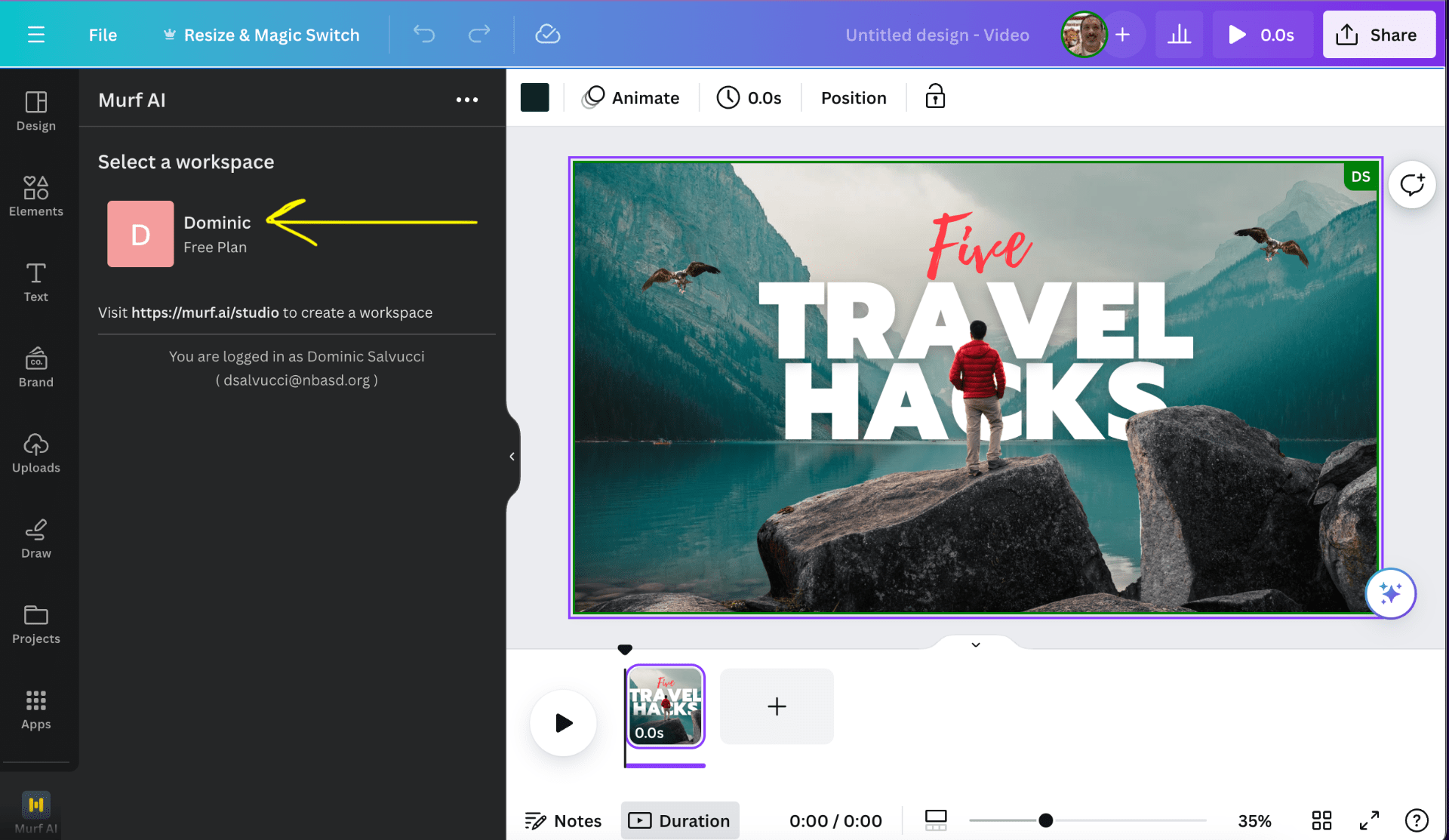
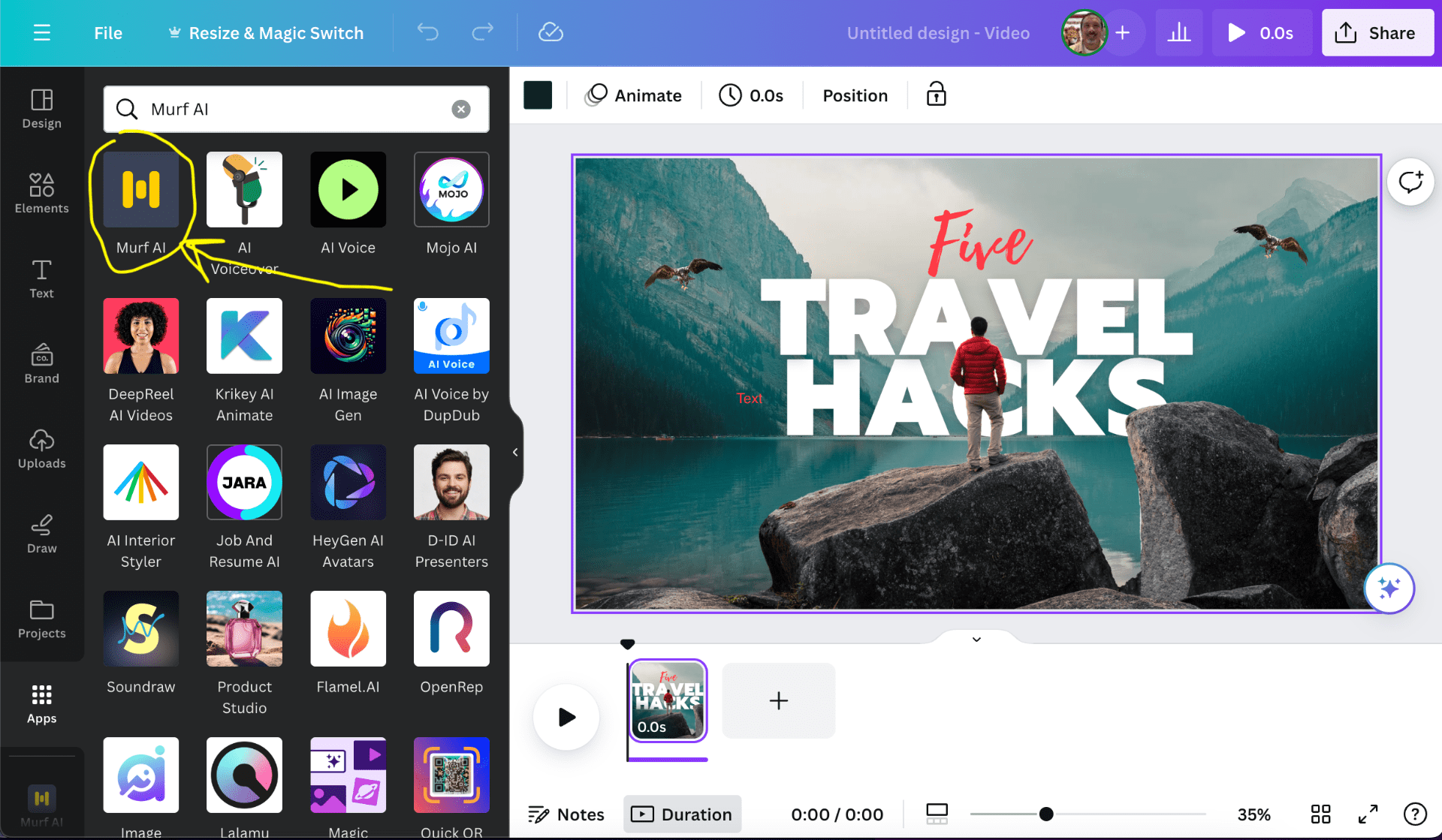
Search for Murf.AI in apps.


Create or log into your account, we used our school Googler Signins.

You can choose which voice to use, some are PRO Account only.

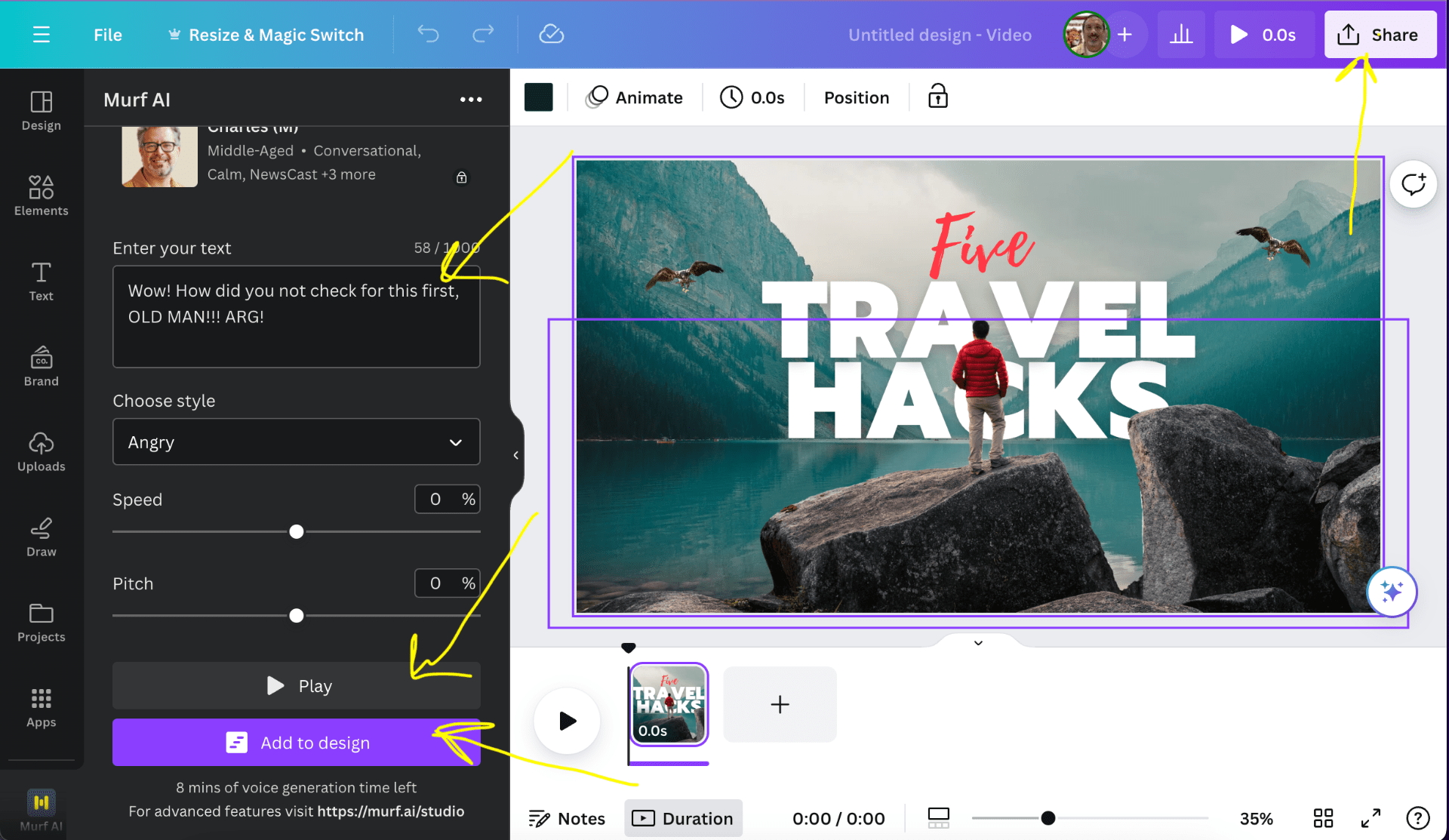
Choose tone of voice and type in or copy and paste what you want the app to say.

You can test the voice and adjust as you feel is necessary. When you are satisfied, click “Add to design.” Once you add the audio, you may need to adjust the length of your clip to get the audio and image to match up.

Granted, there are limitations to what AI can accomplish at this time.


September 9

Our Second StickTogether

My classes participated and completed our second StickTogether as an OPTIONAL ENRICHMENT ASSIGNMENT, It went well and more students worked on completing this activity than the first StickTogether.  Once they work on the activity they are to take a screenshot of their work and submit it to me via email or messages in Schoology so they can be given the points they earned.  At times I put the activity on the big board, the interactive TV, in the front of my room.  Students could come up and click squares to complete the puzzle.

You can read more about StickTogether here.

A screenshot of the completed  activity is below:

March 9

Anchor Podcasting App

Anchor, Dundee WaterfrontCreative Commons License dun_deagh via Compfight

A new and FREE podcasting app came across one of my networks and caught my attention, Anchor.  This FREE podcasting app is available for both Apple and Android devices.  I downloaded it right away, but had not tested it out until yesterday, when my daughter and I relaxed at National Grind, a coffee shop in Ellwood City, PA after school.

I was grading student work, essay tests and projects, while she played Cool Math Games, Snail Bob was the specific game.  After awhile we both needed a break and decided to enjoy our beverages, I had a mocha latte, she had a Smore Hot Chocolate.  During our respite from work, she jumoed back into her Edublogs account; she is participating in the Edublogs Student Challenge again this year.  She updated her About Me page, and created an avatar to place on her blog.

I thought this would be the perfect time to try out Anchor, it took seconds to set up the account on my phone, link it to my Twitter account and start recording.  After a couple of miscues with releasing the record button, we recorded the following podcast.

You can even invite others to join your podcast from remote locations, we will try that soon.  I will follow up with another post once we officially try that out.  We ran a quick test later last evening, it is super simple to do.

Want to Podcast, give Anchor a try.  This is an unpaid discussion of the app and in no way endorses the product…all said for legal reasons…

December 13

Voki and Wix

Today a learning opportunity arose with a student who was working towards completing a project for my Honors Civics class. The student had embedded a Voki into his Wix website. The Voki was showing on the page, but no audio would play.

Several quick tests eliminated browser compatibility issues, java and/or flash issues, and web filter issues. Other students who were in my room from their study hall soon joined in. We experimented a bit, re-recording another Voki, checking the audio in the original, we even looked at the html code, though neither of us know code. None of the experiments turned up a solution, although I noticed that the Voki was being cut off at the bottom on the webpage. Wix does state that html is in beta and not fully supported, but I did not believe that was an issue.

One last trial turned out to be the solution and it was so easy, even an old teacher like myself could do it. We simply clicked on the html widget box,on the edit view of the Wix page, and dragged a corner of the box to resize the widget. We republished the site and found that Voki now had the “Play” button partially showing on the webpage. The student repeated the process and realigned the widget on the page. There were several more alterations needed on the site, but the lesson worked across the pages.

It was nice to see an easy fix to a unique situation. All students involved learned more than just a quick fix to a simple issue. They learned to not stress when things go wrong and sometimes it takes more than one try to fix a problem; even for someone who seems to usually know what he doing with classroom technology.


September 3

Class Orientation Day Five: Getting caught up

Today, the last day of week one, we headed back to the computer lab.  The plan was to have the students go into Edmodo and check their grades, then work on any assignments from this week that they had not yet completed.  I had graded everything that they had turned in so far and placed grades in the Edmodo gradebook.

We discussed why some of them had submitted assignments but not received grades.  This meant something was not right, they may have submitted the wrong assignment, a name was missing, or I may have missed the assignment.  This process of submitting work through Edmodo will keep all of us informed as to the status of work and what we need to to do keep EVERYONE successful.

The students worked well, many went back and “officially” turned in assignments through Edmodo that they had completed but not submitted through the online classroom.  I was able to work more one on one and with small groups on technical details for Edmodo and Edublogs.

We did encounter an issue with Edublogs where some students could not log in and their password resets to Gaggle were not working.  I submitted the issues through the Pro Support tab in my dashboard and before the period was out I had the issues resolved.  Sue W. and Ronnie B. were the specific helpers in Edublogs support.  They did inform me that Gaggle disables the password resets from their site, but they were working to resolve the issue.

I had one or two students who were new additions to my classes and they were once again added into everything.  I was able to sit down with a couple of students who were behind and assist them with tasks.  As more students asked for help we went to the mentor approach.  Some students who were asked to mentor others were a bit surprised; they did not think they knew enough to help.  They were wrong, they did an excellent job helping others which made the day a success.

There were a few parent concerns sent in on the signed information sheets.  I was able to zip off email replies to answer their questions.  The main concern was about a lack of home Internet access and if it would affect student grades.  I assured the parents that time is given in class to complete assignments, and my room is open during the day for students to come in and work.  A lack of home access should not be a problem unless students are wasting time in class and not utilizing time during the school day.

Overall, the day was very productive and the students cleared out most of their due assignments, which left me with a ton of work to grade.  The pace was much more relaxed, which I greatly appreciated.  It has been a bit tiring this week, but the groundwork is in place for the rest of the year.  There are a few more tools that need to be rolled out, but they can wait until they are needed for specific assignments.

September 3

Class Orientation: Day Four Computer Lab

Today, my students went to the computer lab around the corner from my room…they experienced working on the iPods, now they needed back in their comfort zone.  The assignments that needed to be completed could be done more efficiently on a larger interface than what the iPods could provide.

We met in my room to review the lesson for the day.  We ran a quick overview of what needs done by looking at the assignments in Edmodo.  They saw haw to use the “Grades” tab to see what they have turned in, received grades for, or owed.  The Blog Expectation Parent Sign-off sheets were handed out, and I showed them the Dashboard of their blogs on the Polyvision Interactive Whiteboard (IWB). The last lesson for Orientation was also rolled out.  After the students post to their blog, they are to personalize their blog to their liking.  It is their blog, hopefully they will use it beyond mandatory class assignments.  They should be allowed to place their stamp on it.  There is a rubric for basic minimums required, it is their blog to personalize, but there still needs to be some requirements in place.  I shared a folder with links to a few widgets for them to use in Edmodo.

Once in the computer lab the students jumped into the assignments.  Some caught on rather quickly and became student mentors to others.  This helped me out tremendously; since there were still a few new students in some classes that needed put into the class system, Edmodo, Edublogs, and all of the previous assignments.  Once again I could handle the administrative tasks and have my students mentor the new students and get them up to speed. Once those were completed, I floated about and worked one on one or with small groups answering technical questions.

Overall the day was rather fast paced and a bit hectic, but very productive.  Two more days in the computer room and we are jumping into the curriculum.